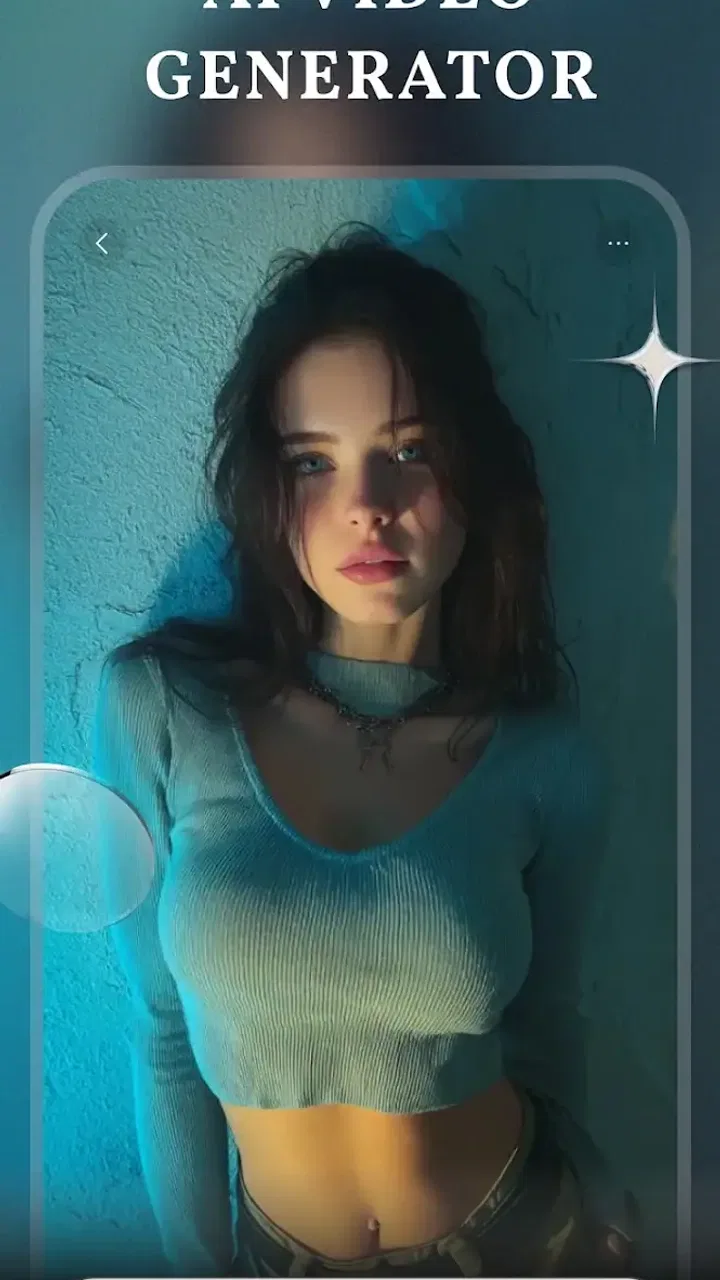
PixGroove: AI Video Generator
- 2.0
- Rating
- 50.00K
- Installs
- Free
- Price

 Analysis by App-foxy
I approached PixGroove: AI Video Generator as a quick creative tool rather than a complete video-editing suite. Its promise is simple: turn a photo and a piece of text into a short AI-assisted video without asking me to learn a complicated timeline. That makes it interesting for social posts, visual experiments, and anyone who wants movement and atmosphere from still images. It is a photography app at heart, but the result sits between photo editing and lightweight video creation.
My overall impression is mixed. The idea is appealing, and the short workflow can feel much faster than building an animation manually. At the same time, the app’s modest public reception matters: it has an average rating of 2.0 from around 240 ratings, with 54 written reviews. I would therefore treat it as an app worth testing carefully, not as a dependable replacement for an established editor. The free entry point helps, although optional purchases range from $1.99 to $99.99 per item, so I would pay attention before confirming anything inside the app.
How PixGroove fits into everyday creative work
The most useful way to understand PixGroove is to imagine a small content task. I might have a photograph of a new product, a holiday view, a pet, or a family moment and want something more eye-catching than a static post. Instead of opening a full editor, arranging keyframes, choosing transitions, and exporting a project, I can use the image and a written instruction as the starting point for an AI-generated clip.
You May Also Like

 AccuWeather: Weather Radar
AccuWeather Review: A Quick, Clear Forecast for Everyday Decisions
For everyday plans, the best forecast is the one you can understand quickly. AccuWeather makes rain timing, radar, and local conditions easy to act on, with a few trade-offs.

 Hill Climb Racing
Why Hill Climb Racing Still Turns Crashes Into One More Run
A tiny car, a bumpy hill and one more upgrade: Hill Climb Racing keeps resurfacing because its simple chaos makes every near-miss feel personal.

 AliExpress - Shopping App
AliExpress Makes Global Shopping Feel Personal, but Shoppers Bear the Risk
AliExpress turns a global marketplace into a pocket-sized discovery engine. Its reach is useful, its shopping loop compelling, and its trade-offs easy to miss.

 Lords Mobile: Kingdom Wars
Lords Mobile Is a Kingdom-Building Routine, Not a Quick Match
A case-by-case verdict on the building, battles, device demands, and social commitments that make Lords Mobile rewarding for some players and exhausting for others.

 PDF Scanner app - TapScanner
TapScanner Makes Paperwork Easier to Capture, Check, and Share
TapScanner makes scanning with a phone feel less like a rescue operation and more like a dependable step in getting work done. Its capture tools are useful, though not flawless.

 Block Blast!
 Shows How Much a Puzzle Game Can Leave Out
A quiet grid game shows why puzzle players increasingly value instant clarity, repeatable skill and low-pressure play—and where the genre still needs to catch up.
More From Our News Desk
View All News


That approach is especially suitable when the goal is atmosphere rather than precision. A short visual for a story post, a mood board, a playful birthday greeting, or a quick concept for a client can benefit from this kind of automation. I would not begin with it when I need exact text placement, carefully timed cuts, consistent branding, or frame-by-frame control. Those jobs are better handled by a conventional editor where every element remains under direct control.
The app is free to install, and it is published by MOSIMOSI ELECTRONIC PTE.LTD. Its content rating is Teen, which is worth keeping in mind if the device belongs to a younger user. The minimum operating-system requirement is Android 7.0, so it is accessible to many older Android phones, although compatibility alone does not guarantee a smooth experience. AI video creation can place more pressure on a phone than ordinary photo adjustments, particularly when the source image is large or the generated result is visually complex.
What feels fast, and what may slow the process
The attractive part of this workflow is the reduction in setup time. I do not need to construct an animation from nothing. Choosing a suitable image and writing a clear instruction can get me to a first result much sooner than traditional editing. That perceived speed is the app’s strongest practical advantage, especially when I am trying to publish something quickly rather than polish a professional production.
However, “quick” should not be confused with instant control. AI generation involves interpretation. A vague prompt may produce a result that technically moves but misses the mood I wanted. I find that the fastest route is usually to start with one subject, one action, and one visual direction. For example, a photo of a coffee cup can be paired with a request for a gentle camera movement and warm morning energy. Asking for several subjects, dramatic motion, changing text, and a specific cinematic style at once creates more opportunities for an unsatisfying result.
A practical tip is to prepare the image before opening the generator. Crop away distracting edges, keep the main subject clear, and avoid asking the AI to solve several composition problems simultaneously. This is a small step, but it can save more time than repeatedly changing the text instruction after an unclear result. In my experience, a clean source image is more valuable than a long, decorative prompt.
The current version is 1.2.0, and the app was released on January 9, 2026. That places it in a relatively early stage of its life, so I would expect the experience to feel less mature than long-established creative platforms. Early versions can be exciting because the central idea is fresh, but they can also involve rough edges in generation flow, editing flexibility, or recovery after an interrupted task.
When heavier use becomes a different test
One casual creation is a very different workload from preparing a batch of videos. If I am experimenting with one image for a personal post, a little waiting or a failed attempt is manageable. If I am preparing several variations for a campaign, building a sequence from many photos, or trying multiple prompts for each image, the weaknesses of an AI workflow become more visible. Repeated generation can make the process feel less predictable than a normal editor, where a change to one transition usually behaves exactly as expected.
I would organize heavier work outside the app. Before generating anything, I would make a small folder of clearly named source images and write short prompt variations in a notes app. That prevents me from losing track of which instruction produced a useful result. It also makes recovery easier if the app closes, the phone becomes busy, or I decide to return to a previous idea later.
Another non-obvious trade-off is that AI video tools can encourage endless tweaking. Because changing a sentence feels easy, I may keep generating alternatives instead of deciding whether the first result is already good enough. For a social post, the best workflow is often to set a limit: try a few focused directions, choose the clearest one, and finish the post elsewhere if necessary. PixGroove is more valuable as an idea accelerator than as a place to endlessly refine every detail.
For a small business owner, I would use it for early visual drafts rather than final brand assets. A shop could turn a product photograph into a quick promotional concept, then review the result for unwanted movement, awkward emphasis, or a distracting background before sharing it. This protects the brand from publishing an attractive-looking clip that does not communicate the product accurately.
Stability and recovering from an interrupted attempt
Stability is difficult to judge from the concept alone because generation depends on the phone, the image, and the app’s processing path. I would approach PixGroove with a recovery-minded workflow instead of assuming every attempt will be perfectly repeatable. Keep the original photo in the device gallery, save successful outputs promptly, and record the wording of any prompt that gives a result worth keeping.
This matters because the prompt is part of the creative asset. If I only save the finished video and later want a similar version, I may not remember the exact instruction or the order in which I described the subject. Keeping the source image and wording together gives me a better chance of recreating the idea. It also makes switching to another editor less painful if PixGroove is not the right tool for the final stage.
I would also avoid beginning an important project immediately before a deadline. The app’s low average rating is a warning to keep expectations realistic, even though ratings alone do not explain every user’s experience. For a casual experiment, that uncertainty is acceptable. For a paid campaign, an event announcement, or a client delivery, I would create a backup plan with a familiar video editor and retain the untouched originals.
There is a useful distinction between visual reliability and creative reliability. A tool may open and process normally while still producing results that vary more than I want. In AI-assisted creation, consistency of subject, motion, and tone can be just as important as whether the app technically completes a generation. I would judge PixGroove on both levels before trusting it with a series of related videos.
Device limits that affect the experience
Although Android 7.0 is the minimum operating system, I would not assume that every compatible phone will feel equally comfortable. Older devices may have less memory, slower storage, or less room for temporary files. A phone that handles ordinary photos well can still feel strained when creating or previewing video. Closing unused apps, keeping free storage available, and working with a copy of the image at a sensible resolution are practical ways to reduce friction.
Large source photos are not always the best choice. A high-resolution image gives me more detail, but it can also make preparation and processing heavier without improving the final short clip. For a social-sized result, a well-composed, moderately sized copy may be the smarter starting point. I would keep the original untouched and use a duplicate for experimentation, particularly when the image is important or difficult to replace.
Battery and heat are also worth considering during repeated generations. I would not run a long batch while the phone is already hot, nearly full of background tasks, or close to running out of power. This is not a criticism unique to PixGroove; it is a normal trade-off for mobile AI creation. Still, users who expect the light feel of a standard photo filter may be surprised that animated output can demand more from the device.
The Teen content rating gives the app a broader audience than an adult-only creative service, but it does not remove the need for supervision or sensible sharing choices. I would review every generated clip before posting it, especially when the source contains people, children, personal spaces, or recognizable locations. A fast creation tool should not replace a human check for privacy, context, and accidental visual changes.
Where it beats ordinary editors, and where it does not
Compared with a standard photo editor, PixGroove offers a more direct path from a still image to motion. A conventional photo app may give me filters, cropping, retouching, and color controls, but it usually does not turn a written idea into a moving scene. PixGroove is more appealing when the main challenge is getting from “this image feels static” to “this can become a short visual post.”
Compared with a traditional mobile video editor, the advantage is reduced manual work. I can avoid building a timeline for a simple concept. The disadvantage is control. In a timeline editor, I can decide exactly when an image zooms, where text appears, how long a transition lasts, and which frame carries the emphasis. PixGroove is better when I value speed and experimentation; the conventional editor is better when accuracy and repeatability matter.
It also occupies a different space from template-based social apps. Templates are often predictable and efficient for branded layouts, captions, and familiar social formats. An AI-generated result can feel more personal or surprising, but it may require more checking. If I need ten posts with identical typography and structure, I would choose a template workflow. If I want one unusual visual from a single photograph, PixGroove has the more interesting starting point.
One of my preferred workflows would combine the tools rather than force one app to do everything. I would use PixGroove to explore motion and mood, then move to a regular editor for captions, music choices, trimming, and final sequencing when those controls are important. That approach respects the app’s strength without asking it to replace an entire production process.
Who should try it, and who should skip it
I think PixGroove is a reasonable experiment for casual creators, social users, photographers who want to animate selected images, and beginners who find full video editors intimidating. It may also suit someone who needs a visual concept quickly and is comfortable judging several AI results before choosing one. The free starting point makes that trial easier, provided I remain cautious around optional purchases.
I would be more hesitant to recommend it to professional editors, agencies that need consistent output across many assets, or anyone who requires exact control over faces, product details, typography, and timing. Those users are likely to spend too much time correcting the limitations that the app is designed to avoid. People using older or low-storage phones should also begin with a small test rather than importing a large collection of images.
Privacy-conscious users should think carefully about what they choose to process. I would avoid testing with confidential documents, unreleased product photographs, private family material, or images containing sensitive information unless I am comfortable with the app’s handling of that content. The convenience of AI transformation is not a reason to ignore the value of the original image.
The in-app purchase range is another reason to approach the app as a trial. Free installation does not mean every creative path will remain free, so I would check the screen before starting a generation or unlocking an option. If I only need occasional visual experiments, a purchase may not make sense. If I use the app repeatedly and understand exactly what an item provides, I can make that decision with clearer expectations.
My performance verdict after weighing the trade-offs
PixGroove has a clear and appealing purpose: it lowers the barrier between a still photograph and a short animated idea. Its perceived speed comes from removing manual setup, not from guaranteeing a perfect first result. The best outcomes are likely to come from focused prompts, uncluttered images, and a willingness to review the result rather than publish automatically.
I would describe its performance as promising for light, one-off creativity but uncertain for demanding production. Heavy batches, older phones, limited storage, and deadline-driven work all expose the reasons to keep a backup workflow. Saving originals and prompt wording is not optional good housekeeping here; it is the simplest way to recover when an experiment does not go as planned.
The app has reached over 50 thousand installs, which shows that the concept is attracting attention, but the 2.0 average should temper enthusiasm. I would not install it expecting a polished replacement for a complete mobile editor. I would install it to see whether its particular AI approach can give my photos a useful sense of movement with less effort than doing the job manually.
My recommendation is therefore conditional. If you enjoy trying new creative tools and only need short, informal visuals, PixGroove is worth a cautious test on a non-critical image. Start small, keep your source files, watch the purchase prompts, and judge the output for consistency as well as speed. If your priority is dependable rendering, precise editing, or repeatable brand work, I would choose a mature video editor instead. PixGroove works best as a fast idea generator, not as the final answer to every video task.
FAQs for PixGroove: AI Video Generator
01What is PixGroove: AI Video Generator, and what can it do?
PixGroove: AI Video Generator is an AI-powered creative app designed to turn written prompts, images, or other visual ideas into short videos. It is aimed at users who want to create social media clips, animated artwork, promotional content, music-style visuals, or experimental scenes without learning traditional video-editing software. Results depend on the prompt, source image, selected style, and the app’s available generation tools.
02Is PixGroove: AI Video Generator free to use?
PixGroove may be available to download for free, but some generation features, premium effects, export options, or higher usage limits can require in-app purchases or a subscription. Before creating multiple videos, check the current pricing page and trial conditions carefully. Users should also confirm whether credits are consumed per generation and whether unused credits expire under the app’s terms.
03Do I need an internet connection to use PixGroove?
Yes, an active internet connection is generally required because AI video generation is processed through online servers rather than entirely on the phone. A stable Wi-Fi or mobile-data connection helps prevent failed uploads, interrupted processing, and delayed results. Generation time can also vary depending on video length, visual complexity, server traffic, and the type of AI effect selected.
04Can I use PixGroove-generated videos commercially?
Commercial use depends on PixGroove’s current license terms, the subscription or plan you use, and the rights associated with any images, music, characters, or prompts included in your project. AI-generated content may not automatically grant exclusive ownership. Before using a video in advertising, client work, or monetized social media, review the app’s terms and make sure every uploaded asset is legally cleared.
05Is PixGroove safe for uploading personal photos and videos?
Before uploading personal or sensitive material, review PixGroove’s privacy policy to understand how files are stored, processed, shared, and deleted. Avoid submitting confidential documents, private recordings, or images of other people without permission. It is also wise to check the app’s requested permissions, use the official Android or iOS download source, and remove uploaded projects when the service provides that option.
Pros
- Creates engaging videos from simple text prompts.
- Offers creative AI effects for social media content.
- Reduces editing time for beginners and casual creators.
- Useful for experimenting with different visual styles.
- Simple interface makes the main tools easy to find.
Cons
- Output quality can vary depending on the prompt.
- Some advanced features may require a paid subscription.
- AI-generated scenes may include visual inconsistencies.
- Rendering longer or detailed videos can take time.
- Regular use may require a stable internet connection.

PixGroove: AI Video Generator
Gallery